
This post contains affiliate links to Bookshop.org. If you make a purchase through these links, I may earn a small commission—at no extra cost to you. Your support helps sustain independent bookstores and keeps this blog going.
Quick Summary
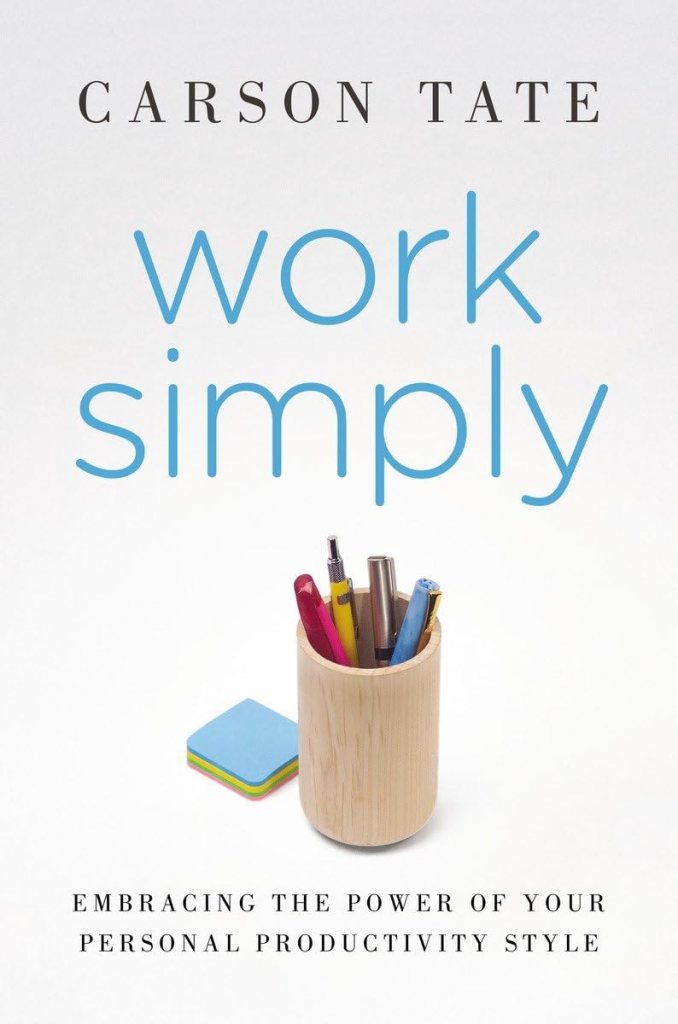
Work Simply by Carson Tate challenges the one-size-fits-all approach to productivity by showing that the key to working smarter lies in understanding your personal productivity style. Instead of focusing solely on time management, Tate helps readers align their work habits with their natural strengths to reduce stress, boost efficiency, and achieve meaningful results. This book is a practical guide to doing less busywork and more of what actually matters.
Book Details
Title: Work Simply: Embracing the Power of Your Personal Productivity Style
Author: Carson Tate
Genre: Nonfiction-Productivity & Time Management
Published: 2015
Pages: 286
Rating: ★★★☆☆
Buy the Book: Bookshop.com
Book Breakdown
First, I would like to add a disclaimer that this book has a lot of information per productivity type, and what I have included in this summary is just the tip of the iceberg, and it’s mostly what caught my eye or what I found the most helpful. I recommend finding the book at your local library or buying the book if you are interested in learning all you can about your productivity style.
Chapter 1-2
The first part of the book provides a road map. It has a decision tree that directs you to parts of the book for certain problems, like if you have too many papers on your desk or have difficulty focusing. I think this road map is a unique concept for a book like this and is super helpful as a reference.
Then the prologue and the first two chapters address the starting concept for Work Simply as well as the myth of time management. She says that time management programs don’t work because it only focuses on the time a task needs to be completed and doesn’t look at the big picture, like the overall objective that this task would help achieve within the organization’s goals.
It also gets into the roadblocks of success:
- the locus on control and whether it’s internal or external
- feeling guilty and using “should” language, which doesn’t help productivity and often can hinder it further
Chapter 3: What’s Your Productivity Style?
This is where it goes into the productivity styles, which she says there are four of them.
- The Prioritizer
- The Planner
- The Arranger
- The Visualizer
There’s a quiz with 28 questions to complete to find out what yours is. I don’t know about you, but I love a quiz in these types of books.
Taking the quiz, I tied with the Prioritizer and Planner with a score of 25, with the Visualizer and Arranger not that far behind, at 20 and 18 respectively. I will say I took this quiz when I first read the book in April, and I got somewhat different scores, with the Prioritizer being 23, Planner being 25 still, Arranger being 14 and Visualizer being 19. I’m not sure why some of them are different now, although perhaps with working independently on my blog, more examples come to mind to increase the score for some of the questions.
It then outlines the four types’ strengths and pet peeves, and this is where I started to think the Prioritizer and Planner and essentially the same category. Below are some of the items she talks about for each type.
Prioritizer:
- Logical, fact-based, realistic thinking
- Goal orientation and consistency
- Hates meaningless chatter and inefficient use of time
- Hates inaccuracy and vague instructions
Planner:
- Consistency and practicality
- Organizing and maintaining data and developing detailed plans
- Hates an unclear agenda and disorganization
- Hates unclear instructions and last-minute work
Arranger:
- High intuition
- Anticipates how others will feel
- Hates impersonal approach
- Hates a tone of urgency or demand
Visualizer:
- Open-minded
- Able to see the big picture and innovate
- Hates repetition or slow pace
- Hates rigid structured project plans
She does say often people have more than one style or have styles that complement each other. Perhaps I think the Prioritizer and Planner are the same because I scored the highest on both, so those are what I naturally do anyway, and it’s hard to differentiate.
Every chapter after that addresses common issues with productivity and how each style would approach the problem. I found some chapters more helpful than others, but overall, I thought most of the advice for the Prioritizer and the Planner were very similar, and a lot of the things outlined were things I’m already doing, or things I’ve tried before and hated. She does say to look at the advice for all the styles because you might still gravitate toward a different style’s approach for some tasks. I’ll go over some of the advice per style for each chapter.
Chapter 4: Manage Your Attention
This chapter details avoiding distractions from colleagues and technology.
Prioritizer:
- Set an alarm at certain intervals as a reminder to refocus
- Only check email during your natural low productivity hours
- Set times for “open door” hours and “no interruptions” hours
Planner:
- Plan your day around your varying energy levels, matching tasks to your natural rhythm
- Dedicate specific times to check your email
- Set times for meetings with colleagues instead of accommodating stop-ins
Arranger:
- Intersperse solitary work with group projects
- Turn off the sound for your notifications and designate an email free day once a week
- Institute a personal chat budget and let colleagues know when you’re approaching your limit
Visualizer:
- Intersperse fun or stimulating tasks with routine tasks
- Reduce visual distractions by turning your phone off or over so you don’t see the screen
- Change the scenery to an open conference room or local coffee shop so you can work uninterrupted, or wear headphones if you cannot leave the office
Chapter 5: Set Your Priorities
This chapter helps you determine your true goals and how to set priorities for each goal.
Prioritizer:
- Set your goals for farther out, say 6 months or a year.
- Very good at including the what, but don’t forget the how, who and why of the goals.
Planner:
- Very good at including the how, but remember to set your goals around the why, what, and who.
Arranger:
- Very good at including the who, but remember the what, how, and why of your goals.
Visualizer:
- Very good at including the why, but remember the what, how, and who of your goals.
Chapter 6: Invest Your Time Wisely
This chapter addresses how you spend your time currently and how to better prioritize your time to accomplish your big goals.
Prioritizer:
- Block your time in small increments to complete tasks
- Time how long a repeated task takes to better plan your weeks later
- Start the day with the highest-priority task
- Eliminate clutter
Planner:
- Block your time in larger increments like an hour or segments like the morning, afternoon, and evening
- Schedule open times for the week to allow for unexpected items, and include time for thinking and reflecting
Arranger:
- Create theme segments for different parts of the day
- Know your attention span and plan around it
- Schedule time in the day for interacting with people
Visualizer:
- Create theme days for the week
- Set firm but realistic deadlines
- Stay away from boring and repetitious work
Chapter 7: Free Your Brain with a Master Task List
This chapter details tools to try for your master task list, which is quite a long list, so I’ll only include a few per type here. Since the book was published in 2015, some of these tools might not be free or exist anymore.
Prioritizer:
- Ruled or lined paper
- iDoneThis app
- Zippy app
Planner:
- Notebooks
- Wunderlist app
- Doit.im online planning tool
Arranger:
- Post-It notes
- Ommwriter text editor
- Carrot to-do list app
Visualizer:
- Unlined pages
- Whiteboards
- View Your Mind mind-mapping tool
Chapter 8: Get More Done
This chapter details finding your personal pace to complete tasks without added stress, and she also emphasizes being able to have a pace that is sustainable for long-term success.
Prioritizer:
- Batch or group similar tasks to do together
- Set mini goals for the day or week and re-evaluate them every month to make sure you’re moving toward your long-term goals
- Intentionally schedule downtime and vacations to make sure you are properly rested
Planner:
- Decide in advance how much time and effort you’ll spend on a task and stick to that
- Establish a regular structure for your days, weeks, and months
- You often complete tasks ahead of time, so use that “extra” time for rest and rejuvenation instead of doing even more
Arranger:
- Improve concentration by listening to music with no lyrics
- Make different playlists for energizing, relaxing and focusing times
Visualizer:
- Do the quick, easy tasks first to jumpstart your work and avoid procrastination
- Ensure there’s room in your tasks for spontaneity
- Switch tasks every 15 to 30 minutes to keep things novel
Chapter 9: Tame Your Inbox
This details how to take control of your inbox and not let your inbox dictate your time.
Am I the only one who doesn’t think my inbox needs to be at zero? At work, I don’t ever delete any emails, going back to when I first started with the company. I understand having no unread messages, but why delete them all?
My own personal email is even worse; I get so much spam that I’m not using my time to clear it. I just see what comes in every day and only open the important ones I need to see, or I can always search for it, too. Let me know if I’m the crazy one for this approach, but I just think trying to keep up with it all is a waste of time.
Prioritizer:
- Create and use rules to prioritize incoming messages
- Set a numerical goal for how many emails in your inbox at one time
- Limit the time spent going through email
Planner:
- Check emails on a set schedule
- When writing an email, use the subject line to state the recipient’s next action step
- Sorry, can I just say I hate when people put a huge sentence in the subject line. I almost never read the subject line first, so when I open the message and it’s mostly blank and then I have to read the subject line for the action item, it just annoys me. This doesn’t really work for me.
- Organize your email file folders using numbers and symbols
- I don’t make any individual folders in email, although I’m starting to for my blog email specifically, so I could see where this might come in handy. But I wouldn’t do it using numbers and symbols, I would want a clear title for the folder.
Arranger:
- Before adding people to CC, make sure they really need to be copied
- Listen to music while processing email
- I’m not sure why the Arranger gets all the music advice, but I love listening to music while I work.
- Create and use templates for routine requests and tasks
- I do this for almost everything.
Visualizer:
- Color code incoming messages by sender or subject
- Turn off email notification alarms
- Use auto preview so you can see the first few lines of an email without opening it
- Is this something you can turn off? I always look at the preview when deciding if I need to address it right away or can wait.
Chapter 10: Shape Your Space
This details the spaces that each productivity style works best in and how to shape your office space accordingly.
Prioritizer:
- Remove all excess artwork to minimize visual clutter
- Simple, sleek furniture
- Install ample high-wattage lighting
Honestly, this sounds like my nightmare and a soulless office space.
Planner:
- Aim for a traditional look and feel
- Select furniture for functionality rather than aesthetic appeal
- Design a practical layout with a few simple decorations
Arranger:
- Use warm colors and soft lighting
- Select accessories that will lend a personal touch to your space, with personal memorabilia and photos
- Play music, light a candle, or add other touches to stimulate all five senses
Visualizer:
- Ensure there’s room to spread out, draw, dream, and create
- Select furniture that is casual and nontraditional with decor that’s colorful and aesthetically pleasing
- Fill the space with personal memorabilia and unique collectibles
Chapter 11: Stop Pushing Papers
This focuses on having a retrieval system, not a filing system. It also outlines four steps to paper management: read, decide, act, contain.
Prioritizer:
- Use file folders and filing cabinets
- Use the same color for all folders and use a label maker for the tabs
Planner:
- Use a weekly filing system to organize everything you need for each day’s tasks
Arranger:
- Arrange your file folders by project, people, action, or color in separate drawers or containers
- Try using visible organizers since often if things are out of sight, they’re out of mind
Visualizer:
- Group your papers by project or idea into separate storage containers or bins
- Use colored file folders as visual cues for different tasks
Chapter 12: Delegate to Teammates
This chapter shows how you can identify your teammate’s style of productivity and how each type can best work with the other types. There are a lot of charts within the chapter showing email styles, time management, project management, etc., so I’m not going to include all of those. Here are just the highlights for when you delegate to each type.
Prioritizer:
- Clearly state the goal of the project and current, relevant facts
- Provide a clear due date
Planner:
- Share the time frame for completion with all the relevant steps
- Discuss any current procedures that could impact the project
- Conclude with clear follow-up procedures
Arranger:
- Open the conversation with a personal question or comment
- Clearly state who is involved in the project and how the project will impact others
- Conclude with asking for any questions and allow time for follow-up discussion
Visualizer:
- Explain the why of the project and how it fits within the broader company goals
- Allow the visualizer to have full reign on how the project is completed
- Give a general time frame for completion
Chapter 13: Work Well with Others
This chapter details potential blind spots for each productivity style and how to leverage the strengths of your productivity style for a team. It also outlines ways to coach each productivity style. There is too much outlined in table format for this chapter, so I cannot include a breakdown per type.
Chapter 14: Lead a Meeting Revolution
This chapter states that not everything needs to be an in-person meeting and outlines different meeting types to give you more time to do your tasks. You must decide if it’s really necessary to attend these meetings.
She says there are six types of meetings:
- Informal meetings
- Decision-making meetings
- Problem-solving meetings
- Brainstorming meetings
- Team-building meetings
- And instructional or skill-building meetings
It’s important to identify the meeting for which type it is and plan the meeting accordingly, so it doesn’t get off-track by the participants. Also, some types of meetings are better for in-person, but others, like the instructional meetings, could be condensed down into a video that the participants can do when their schedule allows.
She also discusses how to engage each type of productivity style in your meetings.
Prioritizer:
- Make sure to answer the what questions: what are the goals and key facts
Planner:
- Be sure to answer the how questions: how will the goal be accomplished, when is the due date, and how will the problem be approached
Arranger:
- Be sure to answer the who questions: who is involved, who needs to know the information, and who is the audience
Visualizer:
- Be sure to answer the why questions: why is it important and why are the participants involved
Key Takeaways
- Identify Your Productivity Style– this book outlines four types: The Prioritizer, the Planner, the Arranger, and the Visualizer. A quiz within the book helps determine your style and gives strategies accordingly.
- Personalized Strategies for Focus and Organization– Each style benefits from different methods for handling distractions, setting priorities, time blocking, email, and workspace design. Understanding your style helps you work with your natural strengths.
- Working With and Leading Others– Productivity styles influence team dynamics, delegation, and meetings. Recognizing others’ styles improves collaboration and communication, and it helps plan more effective meetings.
Who Should Read This Book?
Overall, I think this book would be a good reference guide for anyone who wants to become more productive and doesn’t really know where to start. It’s also a helpful tool to know your own approach to productivity if you don’t already have an idea. I think there are some good ideas in the book for people to try and see how they fit into their workflow, but for anyone who already knows a lot about productivity methods, it might not be as insightful for you.
Other Book Summaries:
On Tyranny by Timothy Snyder
Choose FI: Your Blueprint to Financial Independence
Love what you’re reading here? Support the blog and fuel my next cozy reading session by buying me a coffee.
 Notes from the Shelf
Leave a comment